IT help desk
Otto, our support engineer, answers screen shares and tickets with a face and a name. Callers stop repeating themselves and start pointing at the screen.
live · seams.aiUpload a photograph. TalkLive gives it breath, blinks and a voice, and puts it on a live video call for your AI agent — lips in sync, interruptible, and yours to keep.
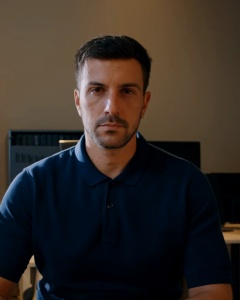 Listening On air 04:12
Video calls should have a face on both sides — even when one side is an agent.
TalkLive Studio is the SEAMS AI alternative to D-ID. It turns one photograph into a photoreal avatar that breathes and blinks while it listens, and speaks in sync with any voice, for any AI agent you connect — support, front desk, coaching, teaching.
It runs on infrastructure we own: LiveKit for the call, our voice-worker pool for the agent, dedicated GPUs for the face. Your customers' calls never pass through a third-party avatar cloud, and the bill is the one on your plan.
Not a talking picture. A participant.
Upload a front-facing photo. The studio finds the face, generates a neutral idle loop — breathing, blinks, mouth closed — and stages it warm in under three minutes.
The mouth follows the voice within a third of a second. Talk over it and the face stops at once and listens; the idle life continues between sentences.
Bind the avatar and a voice to your own agent — its brain, tools and memory stay yours. Swap the face in a click; the conversation carries on.
If a GPU ever drops mid-call, the caller keeps hearing the agent within two seconds and the call never dies. A second renderer takes the next call.
A likeness consent is on file before a face or a voice can be cloned. Every session opens with the AI disclosure. The free trial is watermarked.
You pay for minutes a face is on a call. Staging an avatar, training a voice and idle time in the library are free. Usage by day, in the studio.
Built with real teams on our own products first.
Otto, our support engineer, answers screen shares and tickets with a face and a name. Callers stop repeating themselves and start pointing at the screen.
live · seams.aiA concierge that greets guests in their language from the booking, day and night, without a queue at reception.
live · hotelliA steady, patient face for check-ins that people would rather not type. Consent and disclosure built into every session.
pilot · lifecraftA professor's likeness delivering the lecture live and taking questions, while the professor teaches the next cohort.
comingA product specialist who is always awake, demos on screen share, and hands off to a human the moment it matters.
comingA host that opens the conference, introduces every speaker and answers the lobby — the same face for every attendee.
roadmap · full bodyPlain-language guides and the API reference. Short, honest, kept current.
Choosing a photo, what the idle loop does, approving the preview, staging it warm.
The one contract an agent implements, the dispatch metadata, voices and languages.
Avatars, sessions, agents, voices, consents, usage. Every endpoint with its errors and limits.
Plans are managed on your LunaOne account, with your other SEAMS apps on one invoice.
Free trial: five live minutes, watermarked, no card. Air time is counted while a face is on a call, rounded to the second. Enterprise: pooled minutes, an SLA, dedicated GPUs and an on-prem option — quoted.
One account for every SEAMS app. Pick a plan or start the five-minute trial; the studio opens from your LunaOne dashboard.
Front-facing, good light, mouth closed. Watch the idle loop, choose its mood — neutral, listening, warm — and stage it.
Bind a voice and your agent, press Go live, and share the link. Interrupt it, swap the face, end the call. The usage page shows the minutes.
Five minutes on air, free, to see it speak in your voice.